Digital notebook
A blank page that studies back.studies back.
Ink, text, images, arrows, sticky notes — free-form pages on real paper templates. And because it's Mento, what you write lives next to your flashcards, not in a separate app.
Free-form
Think with your hands — ink, arrows, notes.
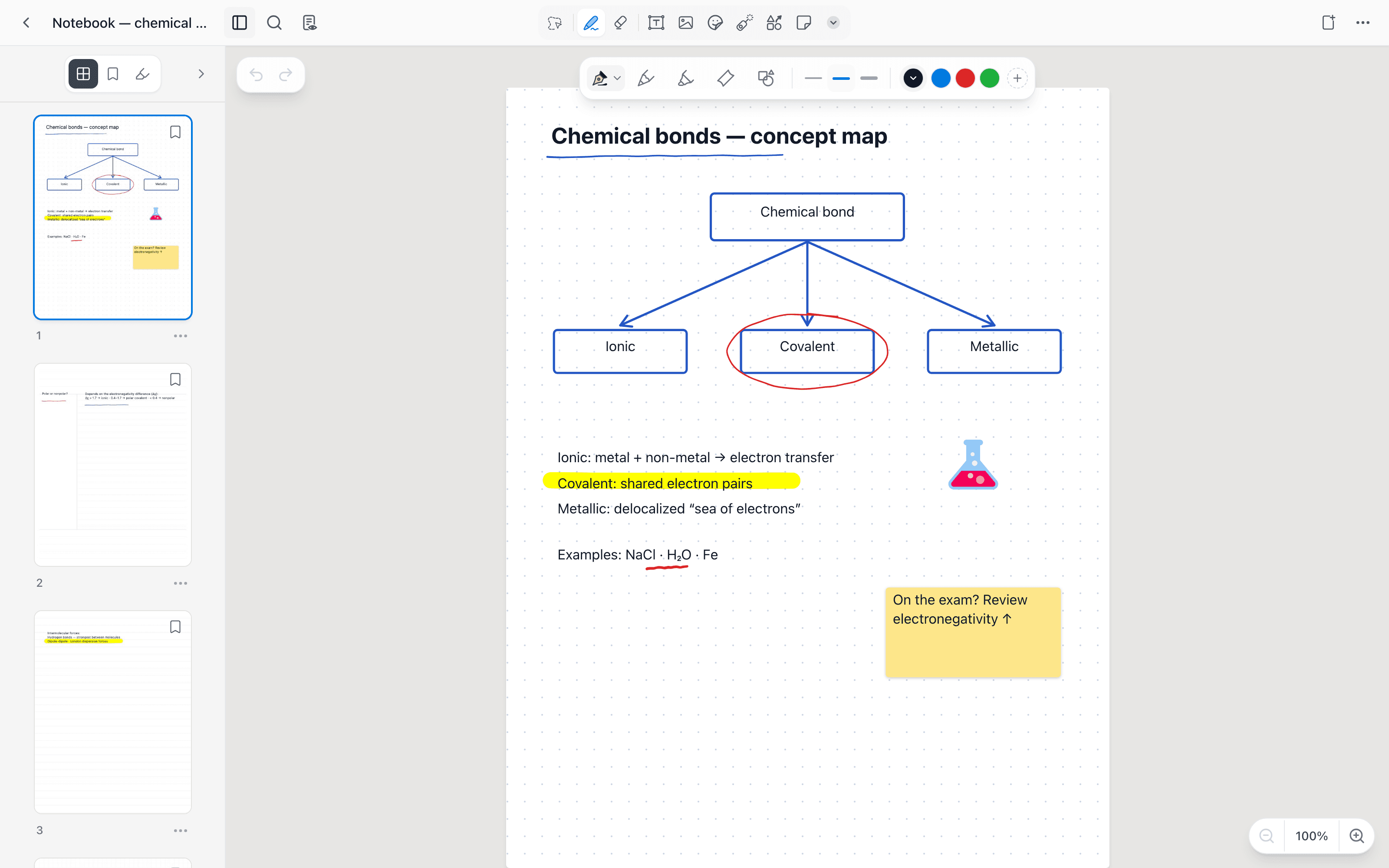
Ink + text + sticky note — one free-form page
Beautiful notes are not the goal — remembering them is. Most notebook apps stop the moment the page looks good: your diagrams and margin notes just sit there, admired and forgotten. In Mento, a notebook page is study material in waiting.
The workflow
From blank page to long-term memory.
Other notebooks perfect the writing experience and stop there. Mento's notebook feeds the same study loop as everything else you capture.
Open a page, pick your paper
Thirteen templates across essentials, study, and music — ruled, grid, dotted, legal pad, Cornell, column layouts, checklists, music staves, and guitar tab. Plus paper colors, including dark.
Write, sketch, arrange
Pen and a highlighter that blends like a real marker, text boxes with formatting, images with crop, shapes, sticky notes, and stickers. A ruler for straight lines, rotation for sideways diagrams — free-form means your layout, not a text field.
Navigate it like a real notebook
Page thumbnails, bookmarks, and search across your pages. Notebooks live inside your spaces and topics, so the sketch from week 3 sits right where the rest of week 3 lives.
Turn pages into practice
A notebook page in Mento sits next to your cards and study modes. Capture an idea on paper today, make it a flashcard tomorrow, and let spaced repetition keep it.
Capabilities
A notebook built for thinking.
Everything you'd expect from a paper notebook, plus the things paper can't do — search, undo, and a study system attached.
Real ink engine
Smooth pen strokes, a highlighter that blends like a real marker, and an eraser that splits strokes instead of deleting them whole. Full undo and redo.
13 page templates
Cornell for lectures, grids for diagrams, staves and tab for music practice. Any page can switch paper without touching your ink.
Text, images & stickers
Formatted text boxes, images with cropping, sticky notes, and stickers — arrange them anywhere on the page, in any order.
Shapes & straight lines
A shape tool with editable vertices, a ruler for clean lines, page rotation for sideways figures, and a laser pointer for presenting.
Find any page
Thumbnails, bookmarks, and search inside your notebook. Highlights get their own index — jump to any mark in one click.
Connected to recall
Notebook pages live in your spaces next to flashcards, PDFs, and study modes — the sketch and the card that tests it, one tap apart.
Templates
Real paper, thirteen ways.
Essentials
Study
Music
The gap nobody fills
Where beautiful notes go to be forgotten.
GoodNotes and Notability perfected the digital page — and stop there. Once a note looks good, they're done with it; whether you remember it is your problem. Mento keeps the free-form page and attaches it to the thing notes are actually for: recall. Flashcards, spaced repetition, and search live in the same app as your ink.
GoodNotes / Notability
Ink + templates + PDF markup
No study system
Anki / Quizlet
Flashcards & SRS
No free-form pages
Mento
Notebook + cards + spaced repetition
Complete loop
Docs
How it works, step by step
Sketch it. Keep it. Know it.
A notebook that feeds your flashcards. Free to start.