Tasks
Notes that get things done.get things done.
Type () in any note and that line becomes a task Mento tracks for you — dates, priorities, statuses, reminders. Every to-do from every note lands in one dashboard, and checking it anywhere checks it everywhere.
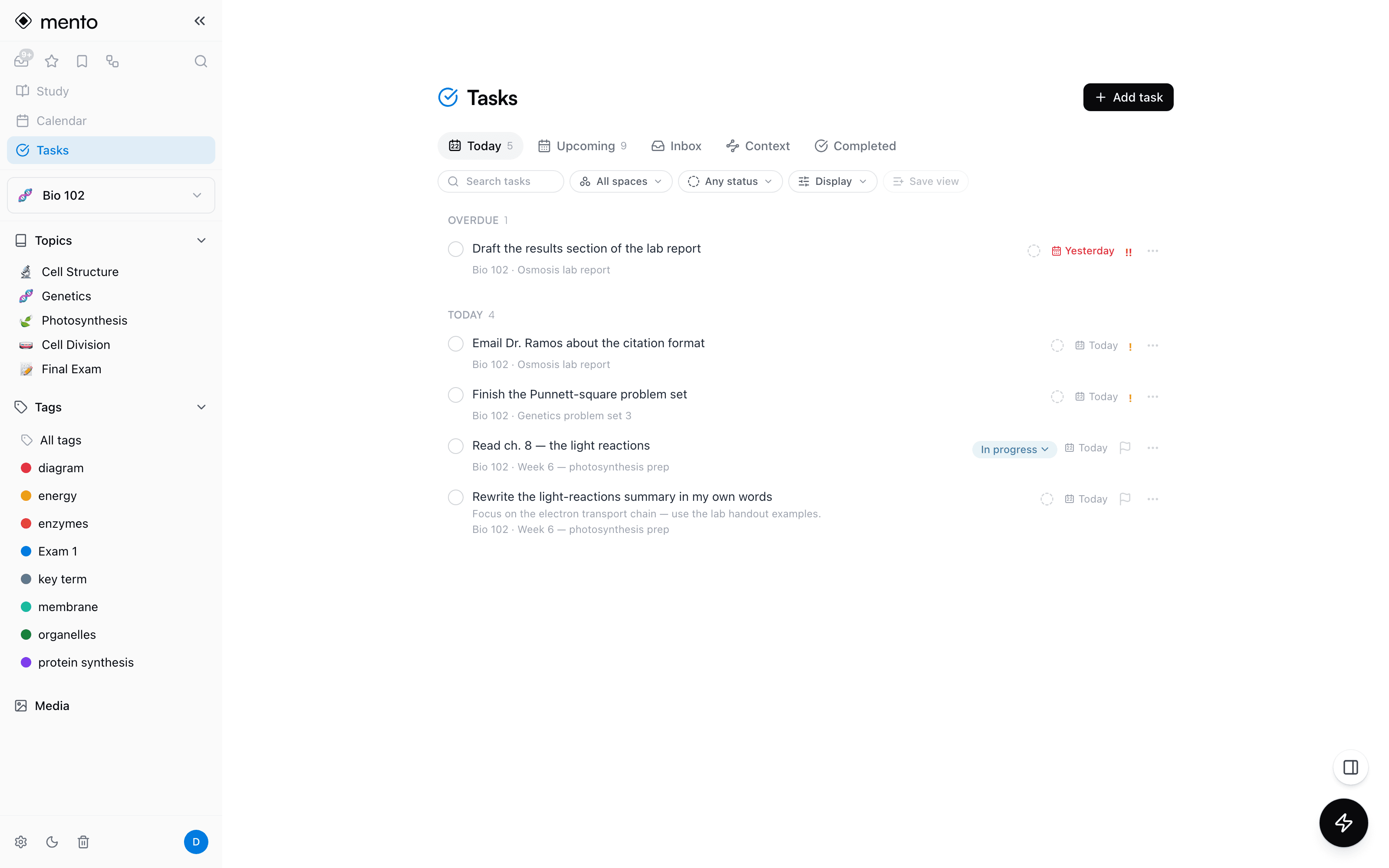
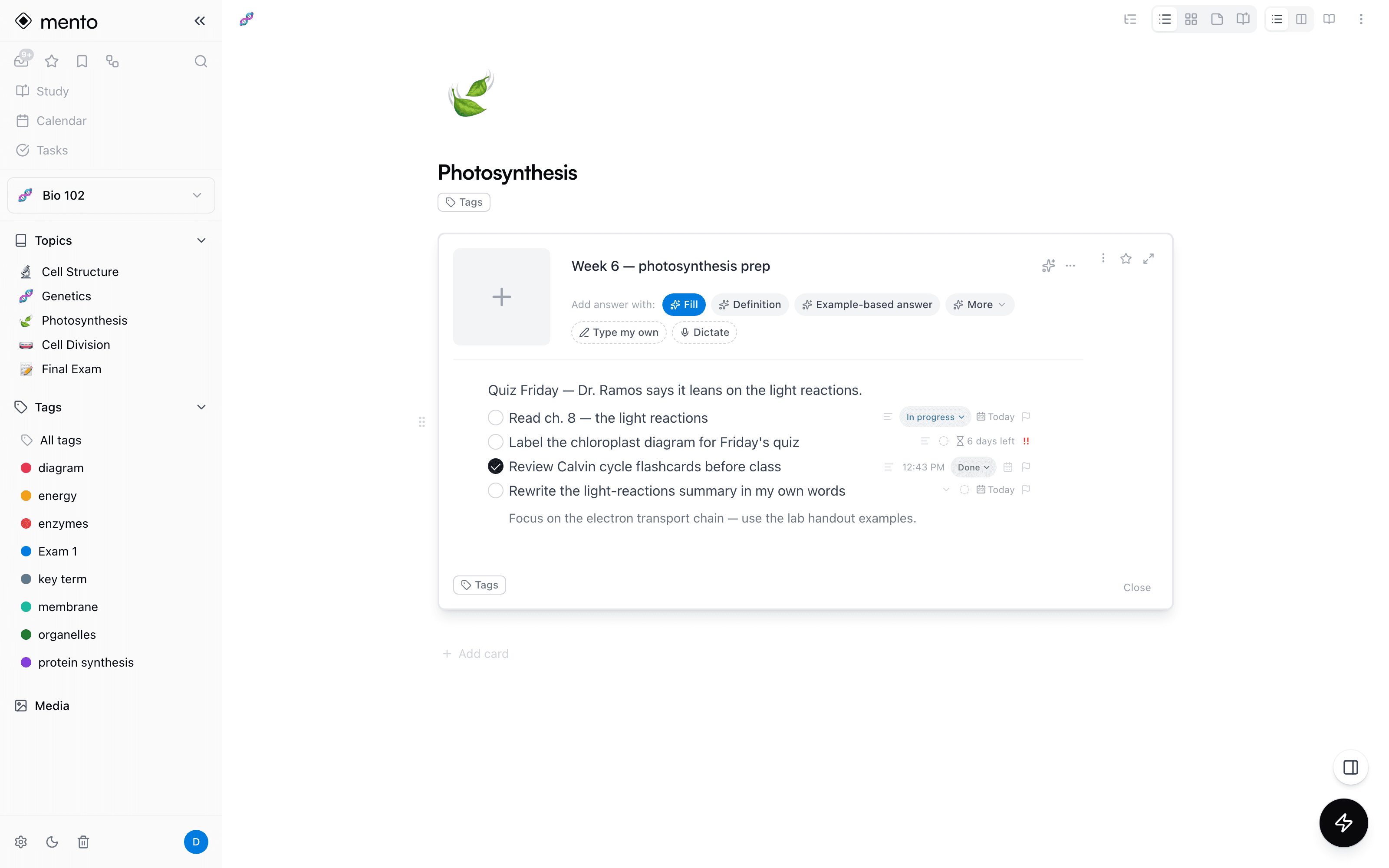
Half your to-dos are born mid-note: a reading list inside a lecture note, an “email the professor” in the margin of an outline. Copying them into a separate to-do app is exactly where they get lost. In Mento, the note is the task manager — the checkbox you wrote is the same task your dashboard and calendar track.
How it works
From a line in a note to a plan for the day.
No second app, no copying things over. You write; Mento keeps the list.
Type () — that's the whole setup
In any note, type () or use /task and the line becomes a task. Write “Read chapter 5 tomorrow !!” and the date and priority fill themselves in as you type.
It lands in your dashboard
Every task from every note collects in one place — Today, Upcoming, and an Inbox for the undated. Overdue tasks surface on their own instead of waiting for you to reopen the note.
Plan it like real work
Give a task a scheduled day, a hard deadline, or both. Dates understand plain language — “next Friday 3pm” — and tasks can repeat and remind you at the time you set.
Check it anywhere, done everywhere
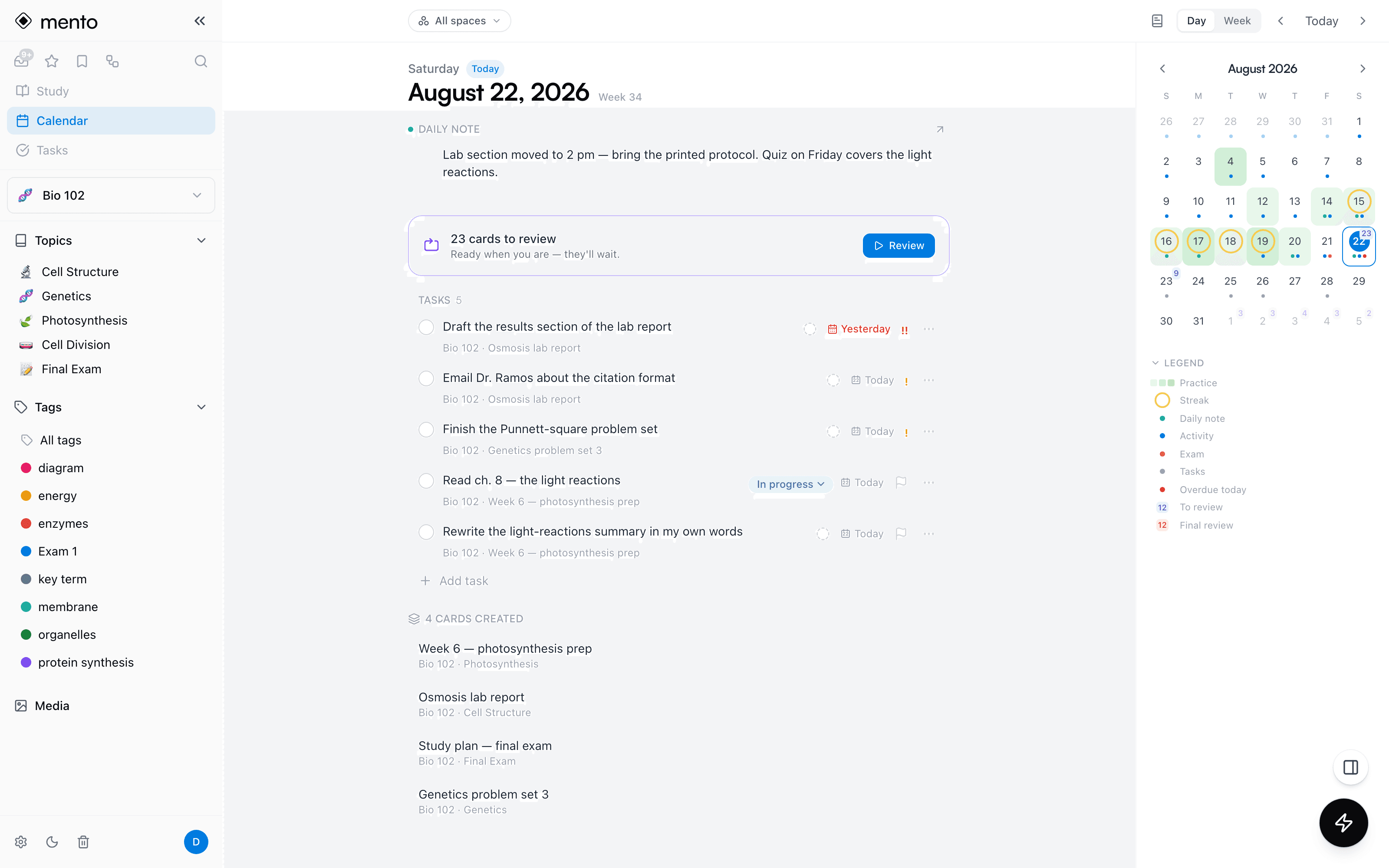
Tick the circle in the note, in the dashboard, or on the calendar — it's the same task. Completed tasks keep their history, stamped with when you finished.
Capabilities
A real task manager, not just checkboxes.
Everything you'd expect from a dedicated to-do app — living inside the notes you already take.
Born in your notes
Type () on any line, or use the /task command. The note stays the source of truth — edit the text there and the task follows, no copying into a second system.
One list, four views
Today, Upcoming, Inbox, and Completed collect every task from every note. Filter by space, status, or tag — or select a dozen tasks and edit them in one go.
Dates that work like you do
Scheduled days and deadlines are separate things, the way real work is. Type dates in plain language, set reminders, and let repeating tasks roll forward on their own.
Your own statuses
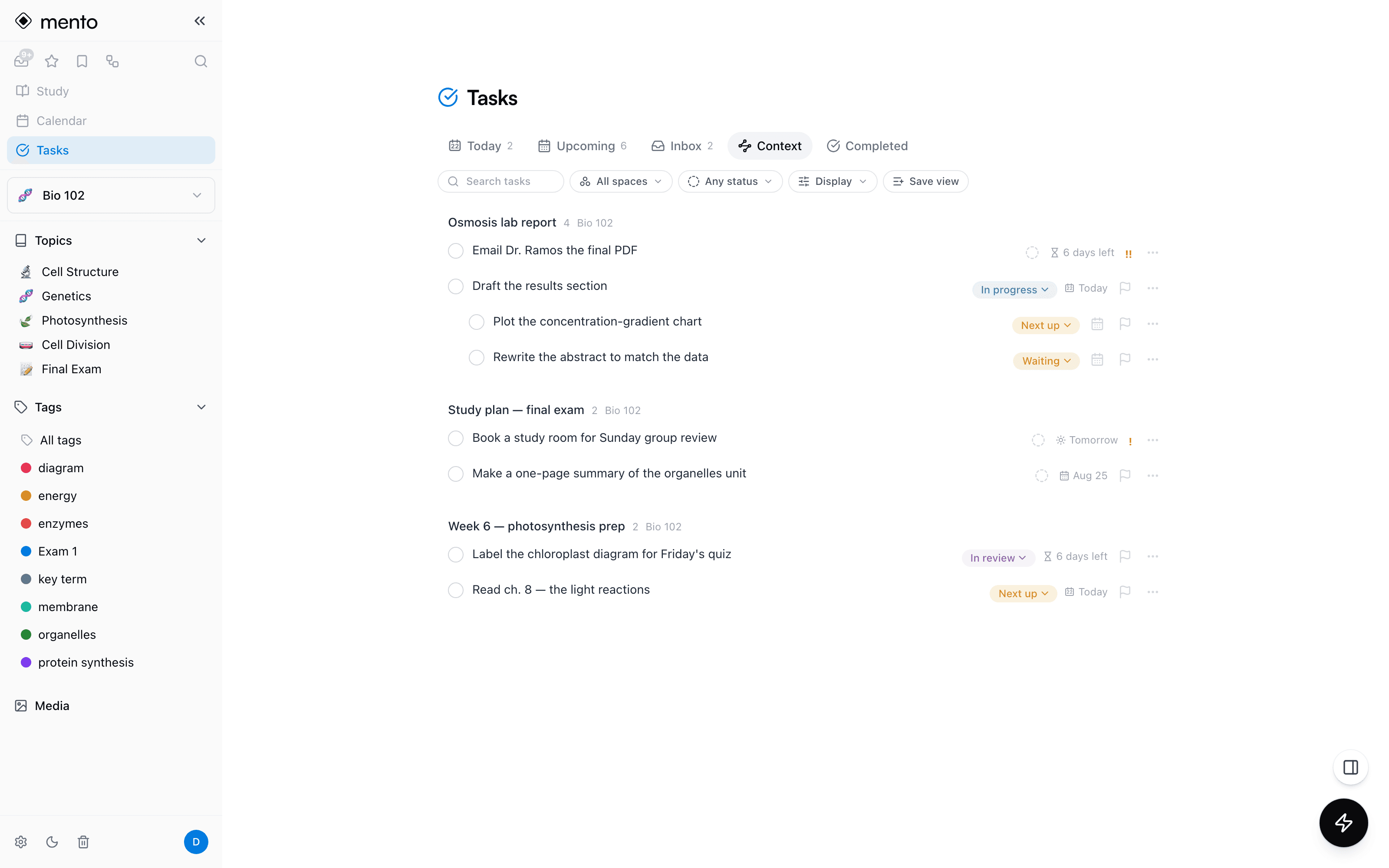
Go beyond open and done — add In progress, Waiting, or any label you need, each with its own color. Three priority levels keep the urgent on top.
Descriptions & subtasks
A task can carry a rich description — lists, images, equations — and nest subtasks under it. A small project fits inside a single line of a note.
On the day's one calendar
Tasks land on the calendar next to your study reviews and daily notes — the day's plan in one view, with overdue counts and a done history that stays.
The Context view
Get the context, note by note.
The Context tab groups your open tasks by the note they live in — the lab report's tasks stay with the lab report, one click from the note itself. Subtasks nest under their parent task, and custom statuses give every step of your pipeline its own name and color.
Why inside your notes
Your to-do app doesn't know what your notes know.
In a dedicated to-do app, “Lab report” is a line with a date — the lecture notes, the outline, and the reading it came from live somewhere else. Note apps have checkboxes, but nothing collects, dates, or remembers them. Mento does both jobs with one object: the task in the note IS the task in the dashboard, one click from all its context.
Todoist / Things
Dates, reminders, priorities
Away from your notes
Notion / note apps
Checkboxes inside documents
Nothing tracks them
Mento
The note is the task manager
Complete loop
Tasks is part of Mento Pro. Square to-do checkboxes in your notes are free, always — Pro turns them into tracked tasks with dates, statuses, and reminders. See pricing →
Docs
How it works, step by step
Write it down. Get it done.
Every to-do from your notes, tracked in one place — dates, reminders, and a calendar view.