Calendar & daily notes
The calendar that knows what you studied.what you studied.
Every planner shows what you meant to do. Mento's calendar also shows what you did — every card practiced, note written, test taken — and what's coming for your memory: reviews, exams, tasks. One timeline, across all your spaces.
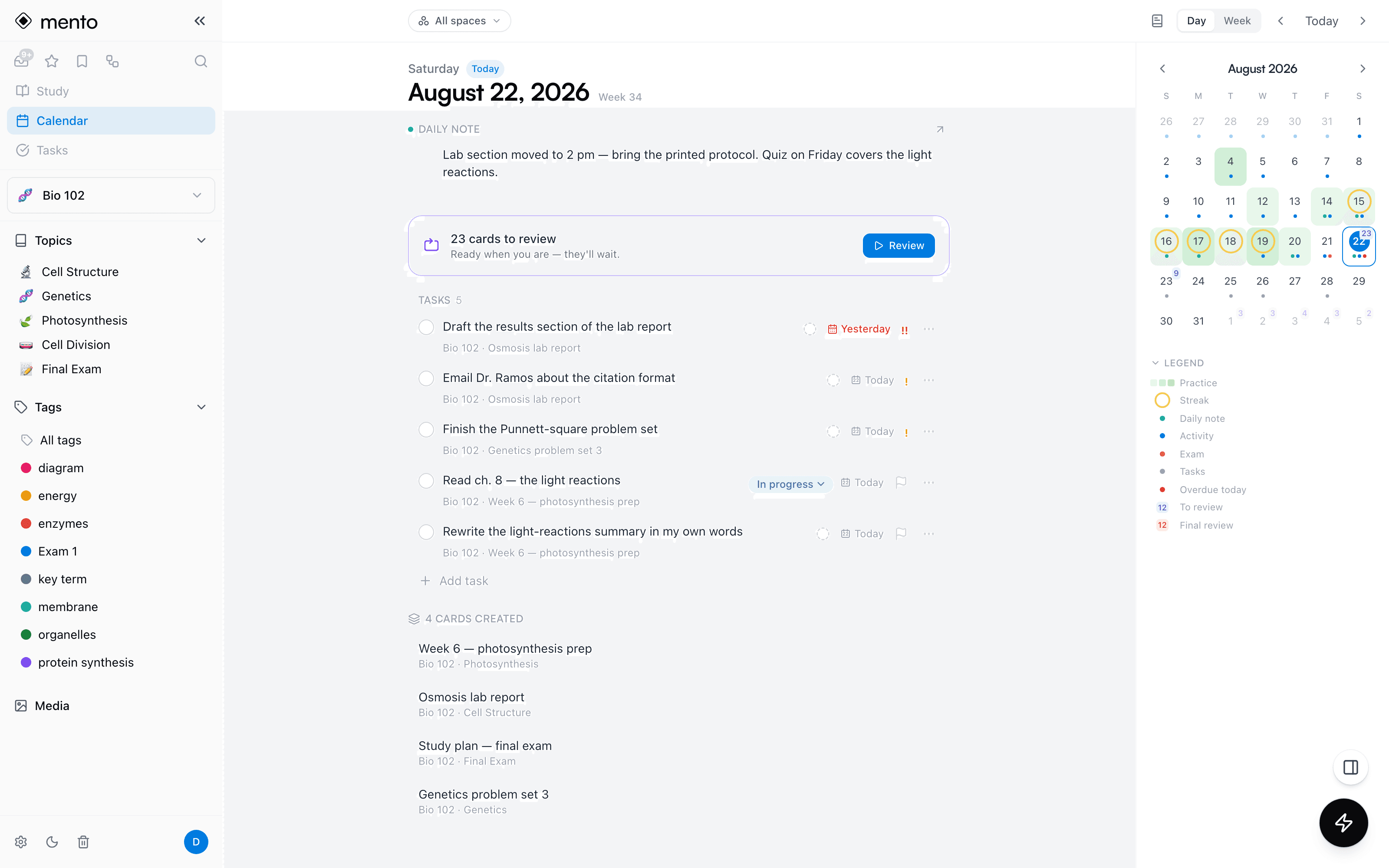
Your study life is scattered across a planner that doesn't know your notes, a to-do app that doesn't know your exams, and a flashcard app that doesn't know your schedule. Mento's calendar sits where they overlap: it's fed by the notes you take and the cards you practice, so the plan and the proof finally live on one page.
What a day shows
Three kinds of time, one page.
A day in Mento holds what happened, what you committed to, and what's ready to review — and each one looks different on purpose.
What happened
Practice lights the day green; streaks ring it. Cards created, notebook pages edited, tests taken — your history fills itself in, just from working.
What you committed to
Tasks and exam dates — the things with real deadlines. These are the only marks allowed to look urgent: coral for exams, red only for tasks overdue today.
What's ready to review
Reviews scheduled by spaced repetition show up as quiet violet counts — an offer, never a debt. They're ready when you are, and they'll wait.
The month at a glance
Watch the work add up.
May
All spaces
Daily notes
A journal that starts the moment you type.
Every day has one note waiting at the top — for the lab change, the half-idea, the thing the professor said. No setup and no empty stubs: it exists only once you write.
Just start typing
Open a day and write — that's a daily note. It's a full Mento note: images, equations, tags, even tasks. Days you skip stay clean; there's no journaling streak to break.
Reread your weeks
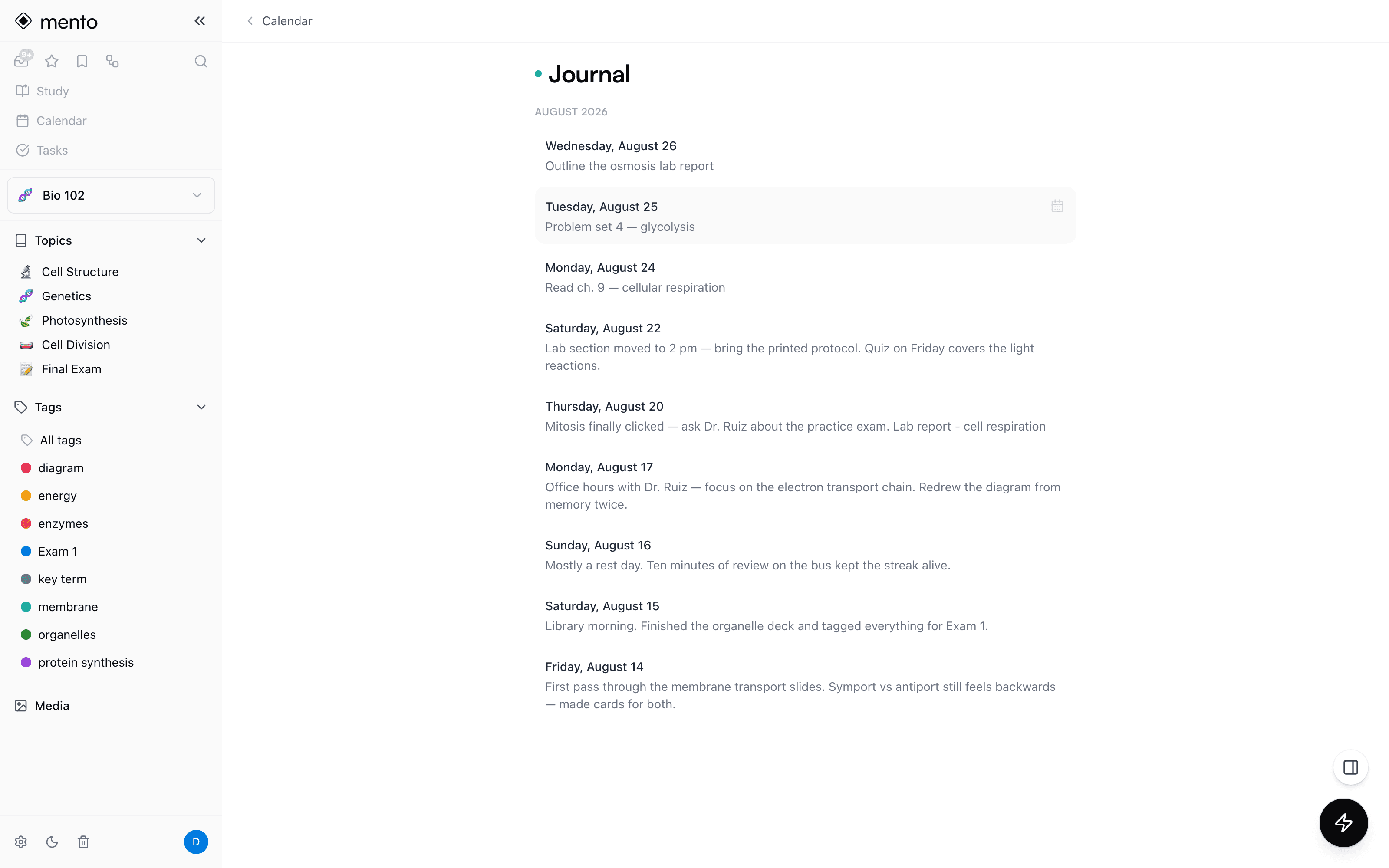
The Journal collects every daily note into one reverse-chronological stream — your semester's diary, written one day at a time.
File it when it outgrows the day
That quick note that turned into real material? Send it to a space like any other note — it keeps everything, and the day frees up for a fresh entry.
The week view
The week is the plan.
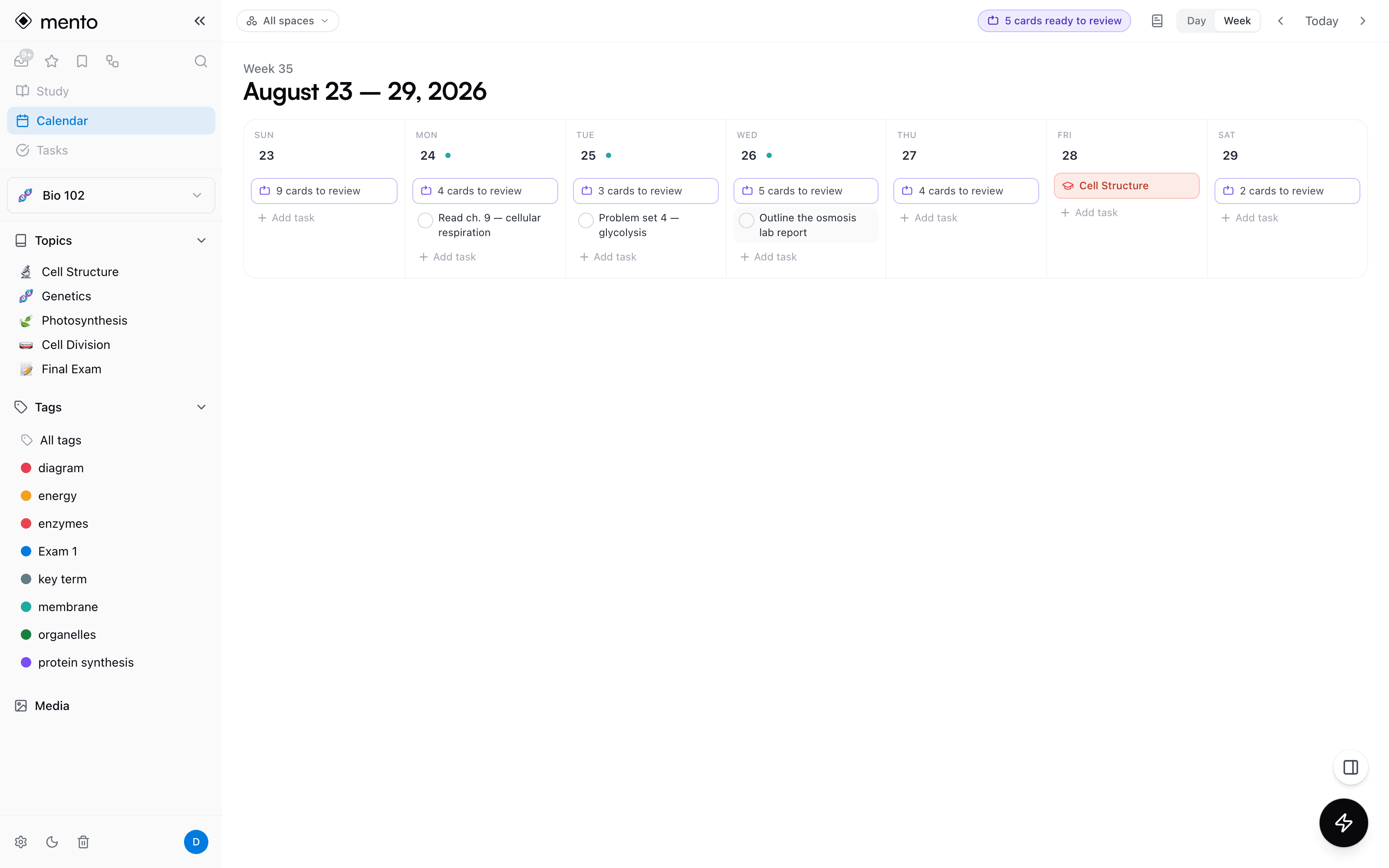
Looking forward, each day shows its tasks, exams, and review load — so you can see a heavy Thursday coming and study ahead. Looking back, days compress to what actually happened.
Built in
One calendar, every thread.
Global by default, filterable by space — because “what's due this week” is a question about your whole life, not one course.
All your spaces, one timeline
The calendar reads across every space, with a filter when you want just one course. Practice and streaks stay global — a Tuesday doesn't belong to Bio.
Practice heatmap & streaks
Days you practiced glow green and streaks wear a ring — a contribution graph for your memory, right where you plan.
Exams on the spine
Dated topics mark the calendar in coral and bend the review schedule toward the day — you can watch the ramp build as it approaches.
Tasks on the day
Tasks from your notes land on their scheduled day next to everything else — and you can check them off right on the calendar.
Reviews as capacity
Future days show how many cards will be ready — smooth a spike before it lands, or study ahead before a busy week.
Jump anywhere
Every entry links back to the real thing — the card, the notebook page, the test — one click from the day it happened.
Docs
How it works, step by step
Plan the day. Prove the day.
Reviews, tasks, exams, and a daily note — your whole studying life on one calendar. Free to start.